Account and Billing
View and manage your personal account and billing settings
The Account and Billing pages serve as your central hub for managing every aspect of your profile and subscription.
These pages give you full control over your account by allowing you to customize your personal information and handle billing-related activities.
Account
The Account page allows you to view and manage your personal identity and security preferences on the Clarifai platform.
To access it, log in to the Clarifai platform. Then, in the collapsible left sidebar, select Settings and choose Account from the dropdown list.
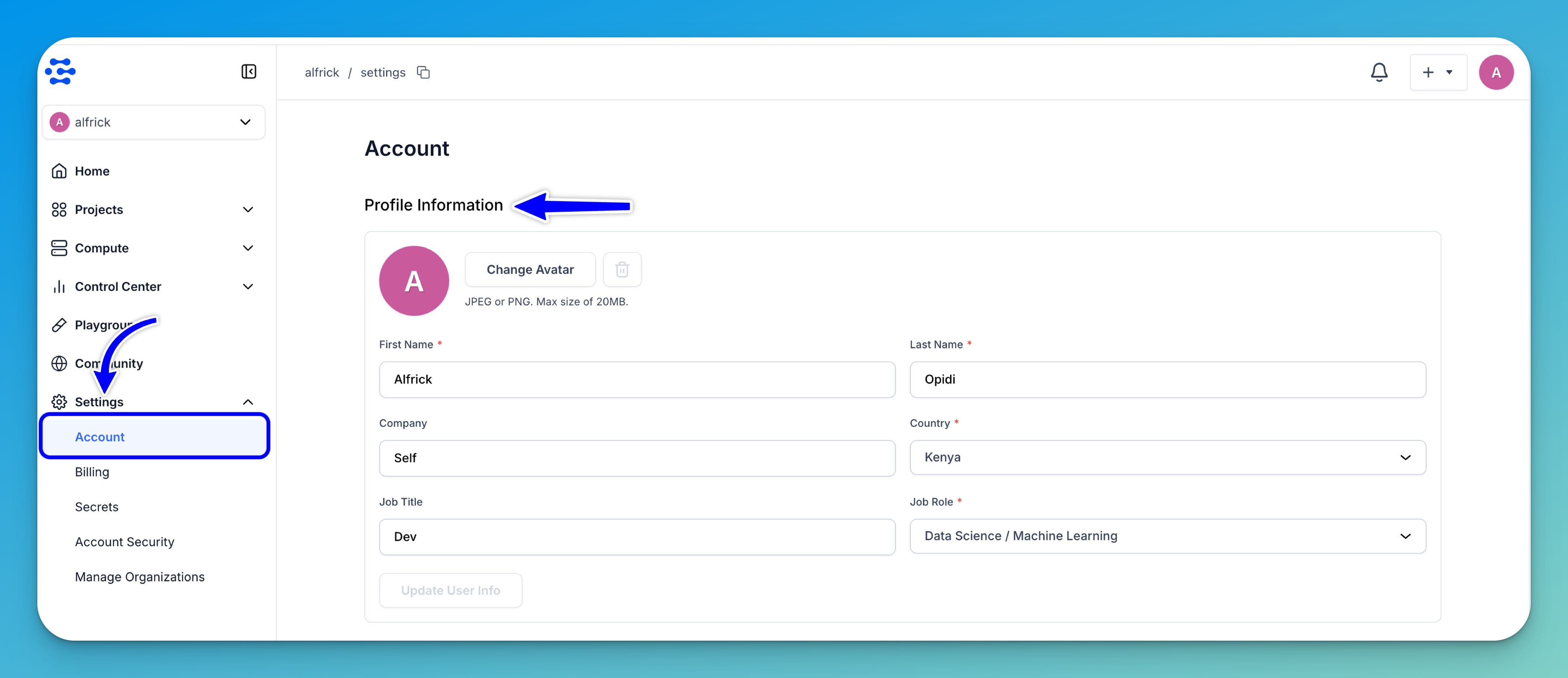
Profile Information
This section displays the personal and professional details you provided when creating your account.
You can customize how you appear across the Community platform — such as on shared model or app pages — by uploading a profile avatar. If no image is uploaded, your initials will be shown instead.
To upload or change your avatar, click Change Avatar. A pop-up will appear, allowing you to select an image from your device.
Note: The image must be in JPEG or PNG format and no larger than 20MB.
You can also update any of your profile details in this section. After making changes, click Update User Info to save them.
Profile
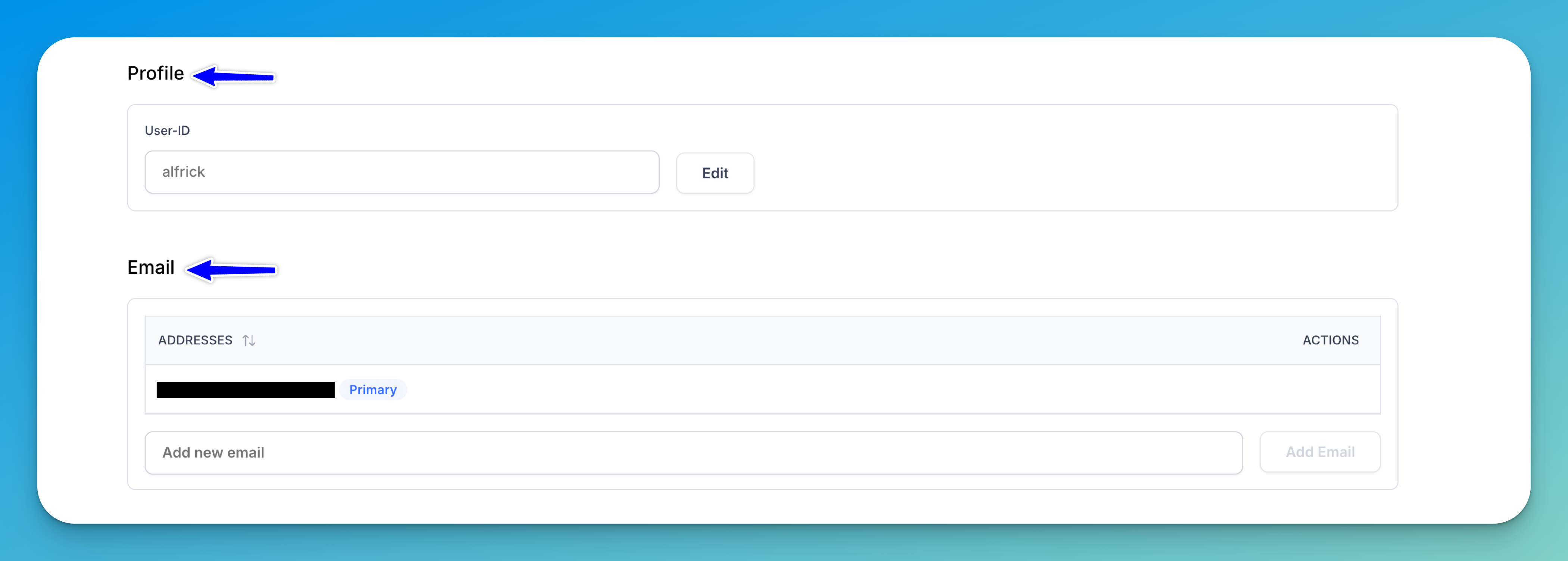
This section displays your unique User ID, which serves as your username handle across the platform — appearing in both API references and platform URLs.
Your User ID is not case-sensitive and may include one or more alphanumeric strings separated by hyphens or underscores.
To update it, click the Edit button next to the field. A pop-up will appear, allowing you to enter a new User ID.
Caution: Changing your User ID may lead to unintended side effects, as we do not create redirects for old app URLs and we do not re-route requests that reference your previous User ID. If you make this change, you are responsible for notifying any collaborators who may be affected.
Email
This section lists and manages all email addresses associated with your account and indicates which one is set as your Primary contact.
To link an additional email address, enter it into the Add new email field and click Add Email.
Danger Zone
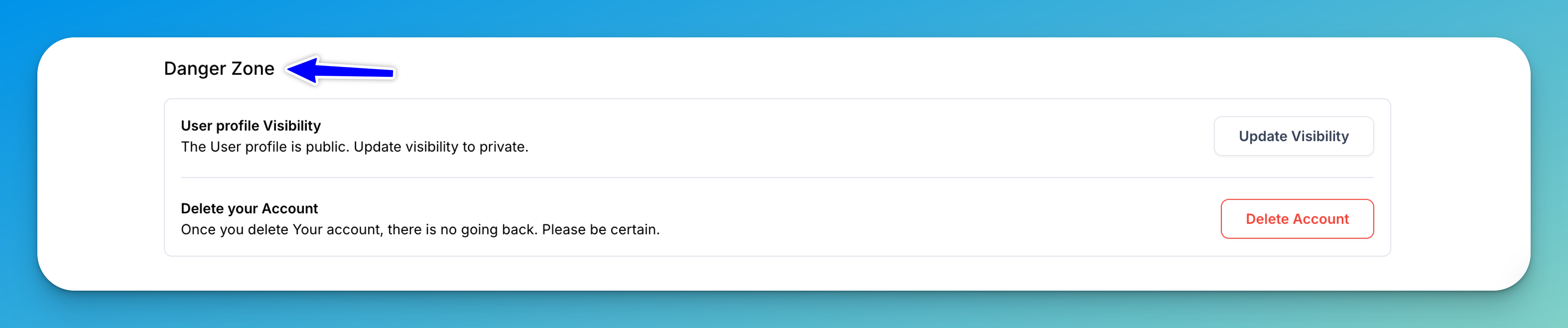
This section contains actions that have significant and potentially irreversible effects on your account.
To manage your user profile visibility, click Update Visibility and choose whether your profile should be public (visible to everyone) or private.
To permanently remove your account, click Delete Account. This action is irreversible and will permanently erase all data associated with your profile. Proceed with extreme caution when using this option.
Billing
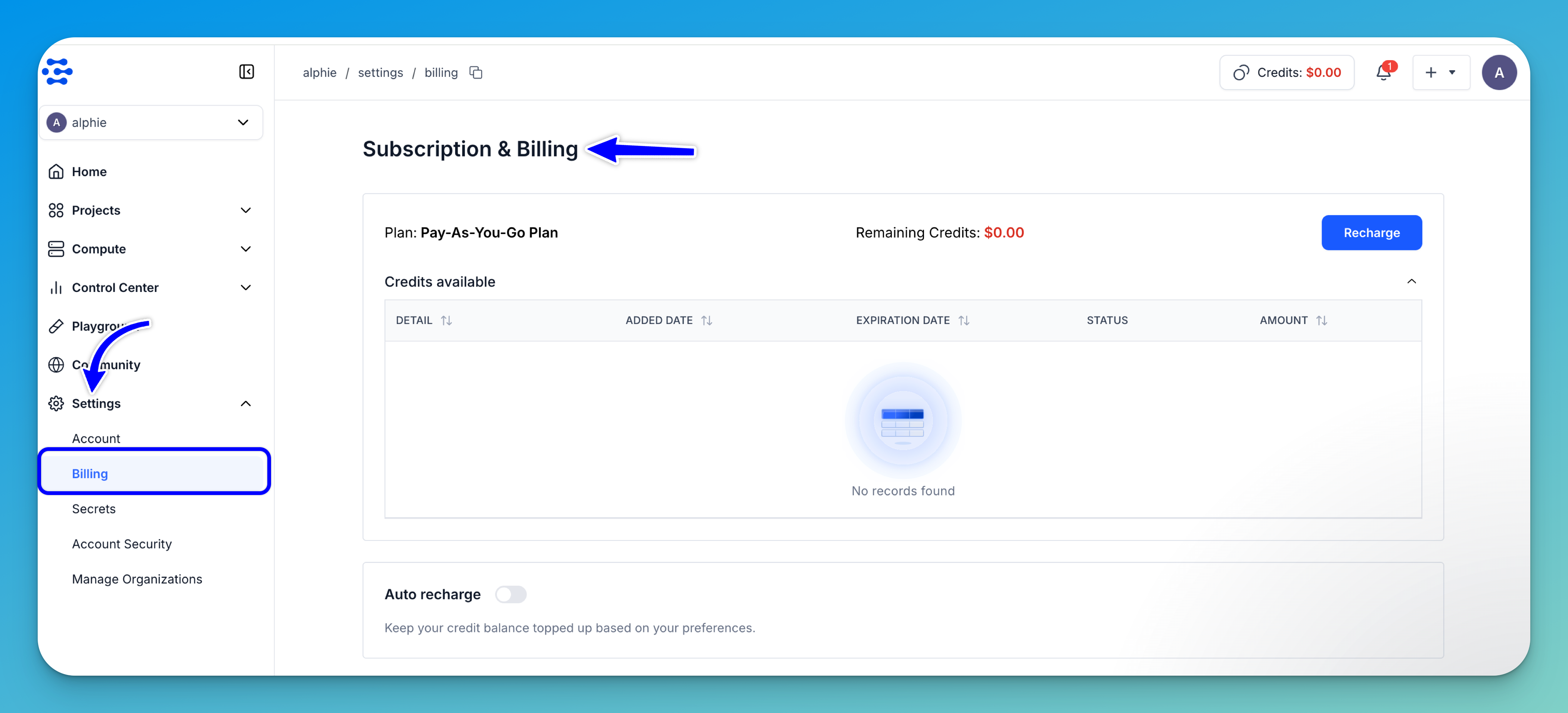
The Subscription & Billing page provides a centralized place to view and manage your credits, plan, payment methods, and invoices.
To access it, log in to the Clarifai platform. Then, in the collapsible left sidebar, select Settings and choose Billing from the dropdown list.
Transition to New Plan
We’ve simplified Clarifai’s pricing by introducing a single Pay-As-You-Go plan with no minimum monthly commitments and far fewer feature gates — most of Clarifai is now accessible out of the box, including Compute Orchestration with auto-provisioned GPUs.
Just add credits, build across the platform, and go.
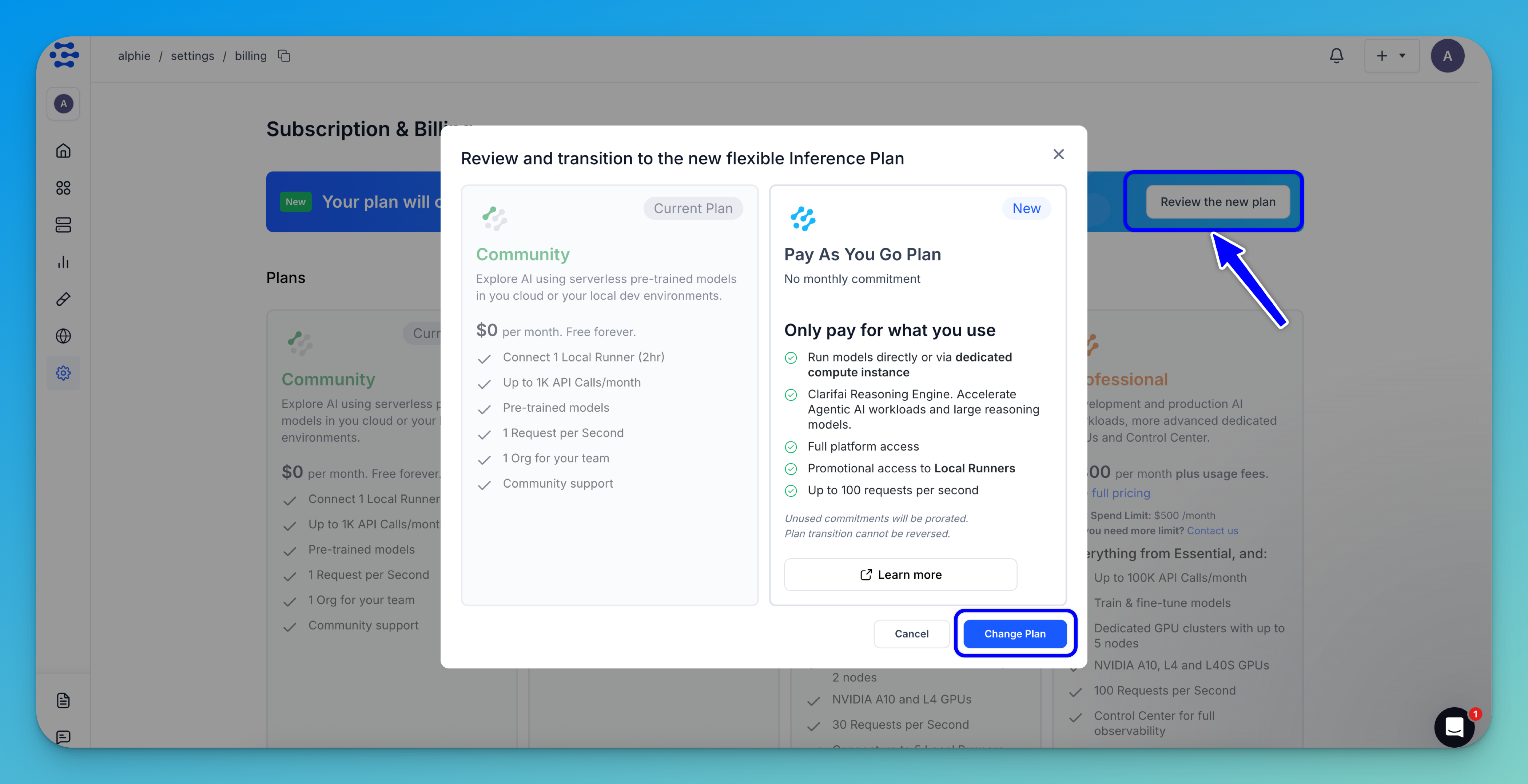
All new users are automatically onboarded to this plan. Existing users can switch by clicking the Review the new plan button in the banner displayed on the page.
In the window that appears, click Change Plan to complete the transition.
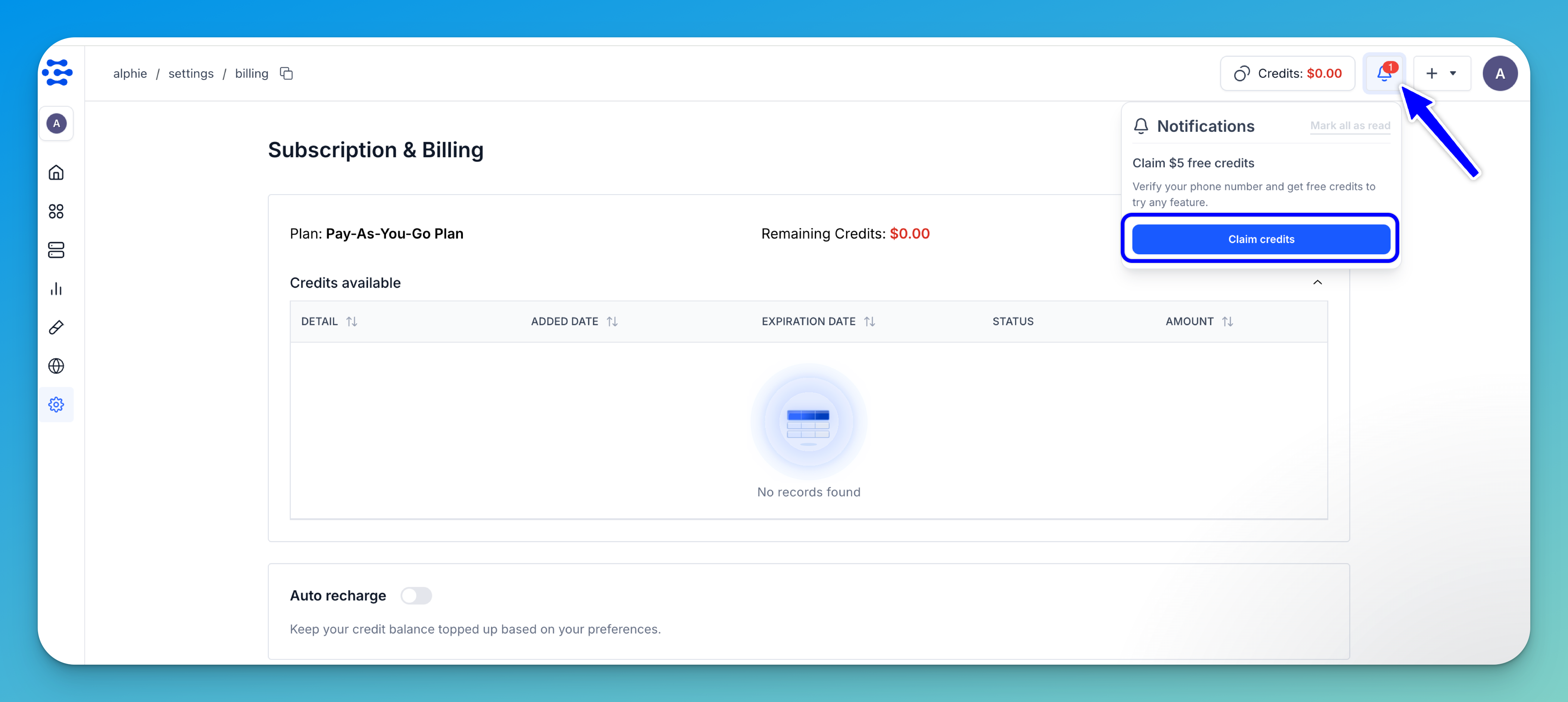
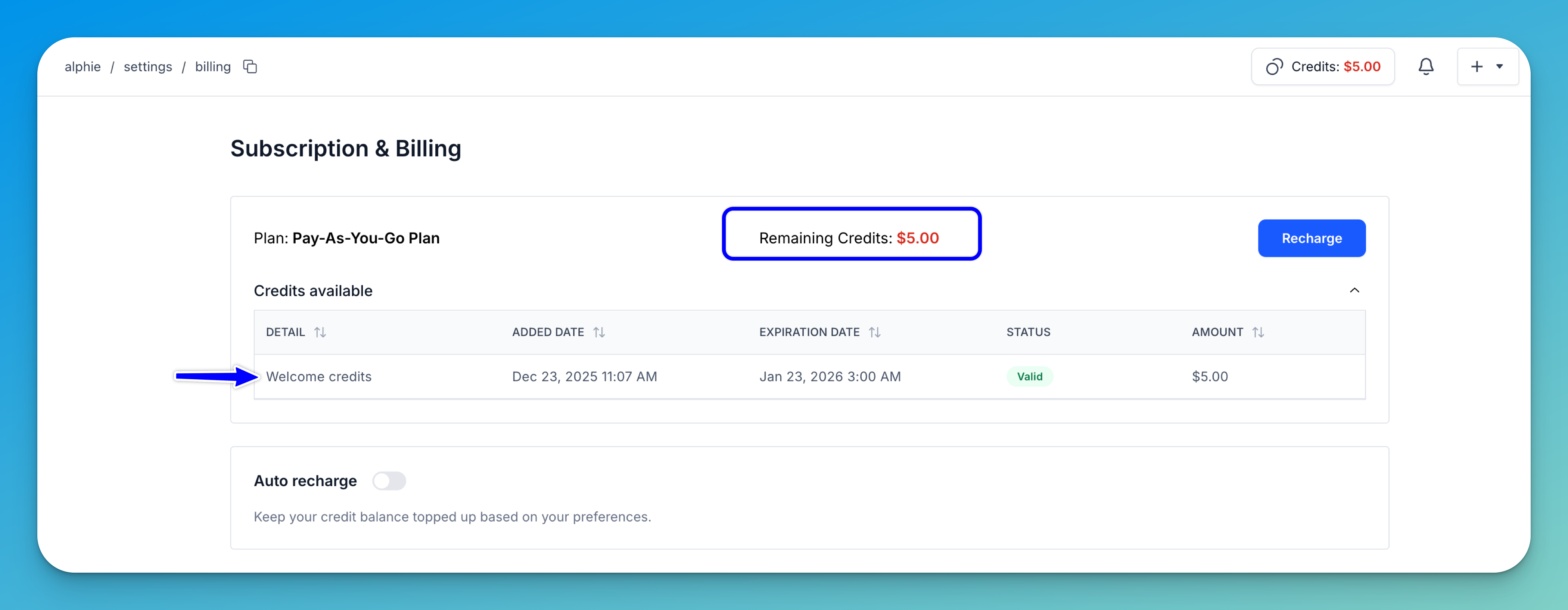
After switching, click the notification bar and select Claim credits to verify your phone number and receive a one-time, free $5 credits, which can be used to try anything from serverless model access to dedicated deployments.
Note: The $5 welcome bonus has a 30-day expiration period.
Note: Each user is eligible for up to two welcome bonuses — one for a personal account and another for an organization account that the user can create with their peers.
Recharge Your Account
After transitioning to the new plan, you can view your current plan and the details of your remaining credits at the top of the page.
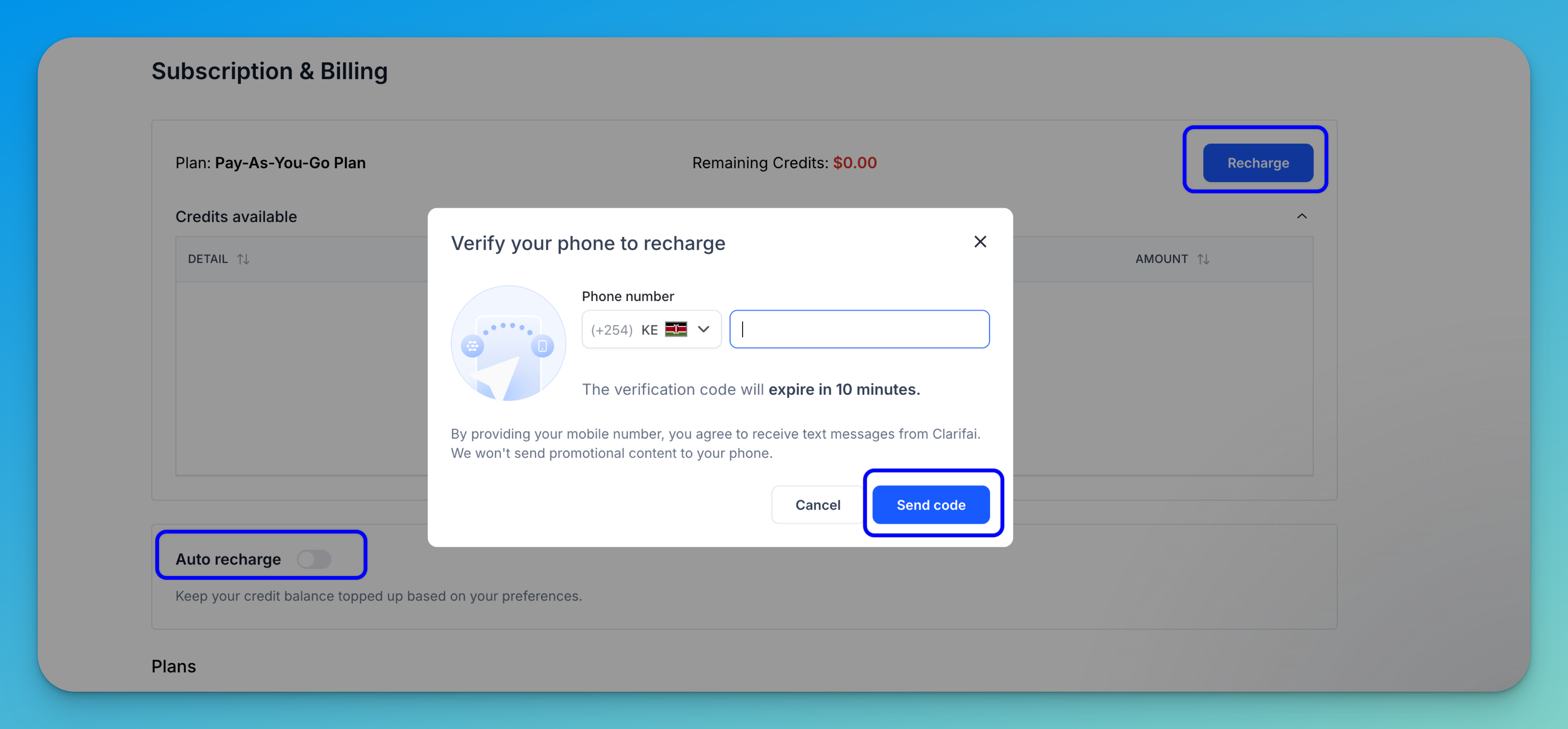
To recharge your account, click the Recharge button.
If your phone number has not yet been verified, a dialog will prompt you to enter your number and receive a verification code via SMS.
Note: The same phone number can be verified for up to three different Clarifai accounts, regardless of whether the accounts are personal or organizational. However, only 1 personal and 1 Org account is eligible for the $5 bonus.
After successful verification, you can proceed to recharge your account credits using your card.

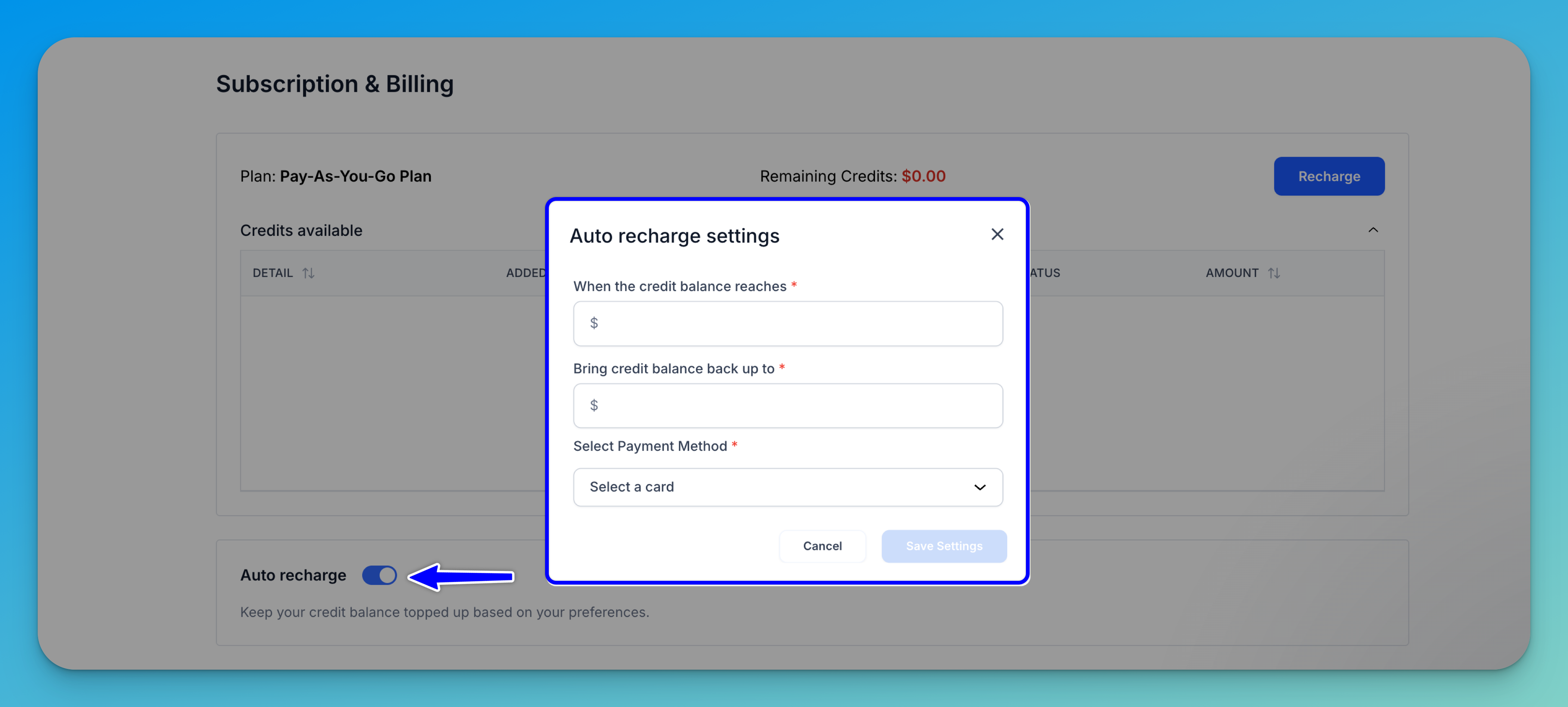
To enable automatic recharging, turn on the Auto recharge button. A dialog will appear where you can set a balance threshold — for example, when credits drop to $5, automatically recharge up to $20.
Change Your Plan
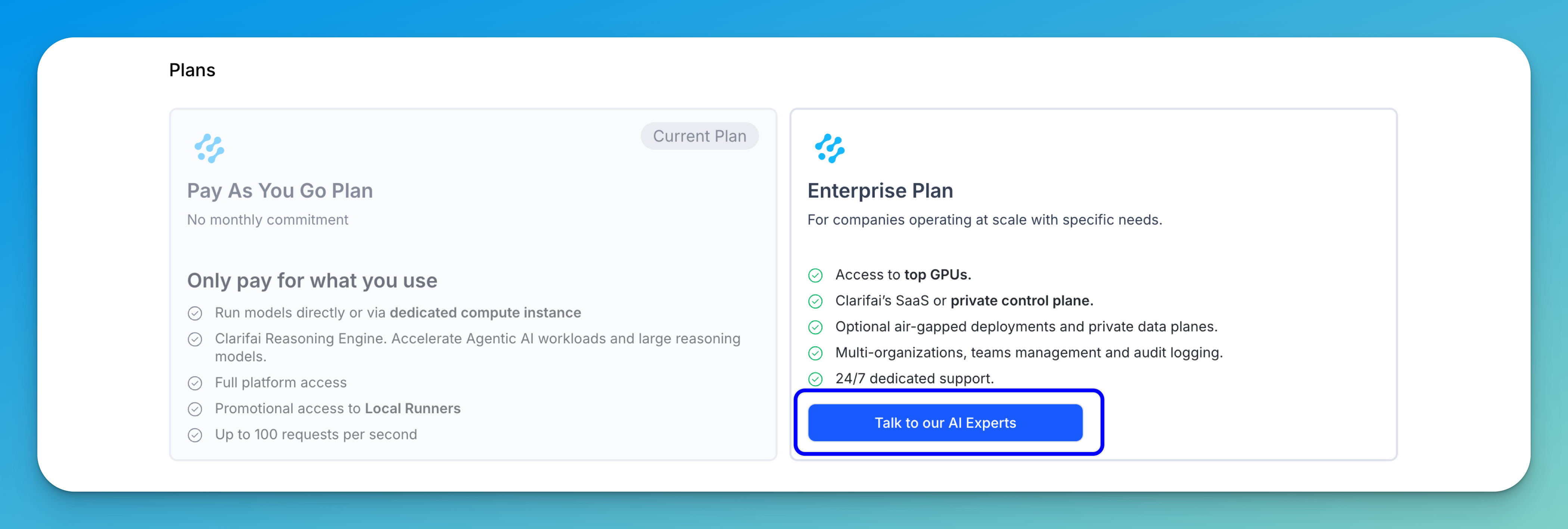
As mentioned previously, we offer a Pay-As-You-Go plan that allows you to pay only for what you use. It offers the following features:
- Run models directly or via dedicated compute instance
- Clarifai Reasoning Engine — Accelerate Agentic AI workloads and large reasoning models
- Full platform access
- Promotional free access to Local Runners
- Up to 100 requests per second
Note: The Pay-As-You-Go plan has a maximum monthly spend limit of $100. Contact us to request a higher limit.
For organizations operating at scale or with specialized requirements, we also offer an Enterprise plan. It offers the following features:
- Access to top GPUs
- Clarifai’s SaaS or private control plane
- Optional air-gapped deployments and private data planes
- Multi-organizations, teams management and audit logging
- 24/7 dedicated support
To upgrade to the Enterprise plan, click the Talk to our AI Experts button. You’ll be redirected to a page where you can schedule a meeting with our AI team to discuss your specific needs.
Add a Payment Method
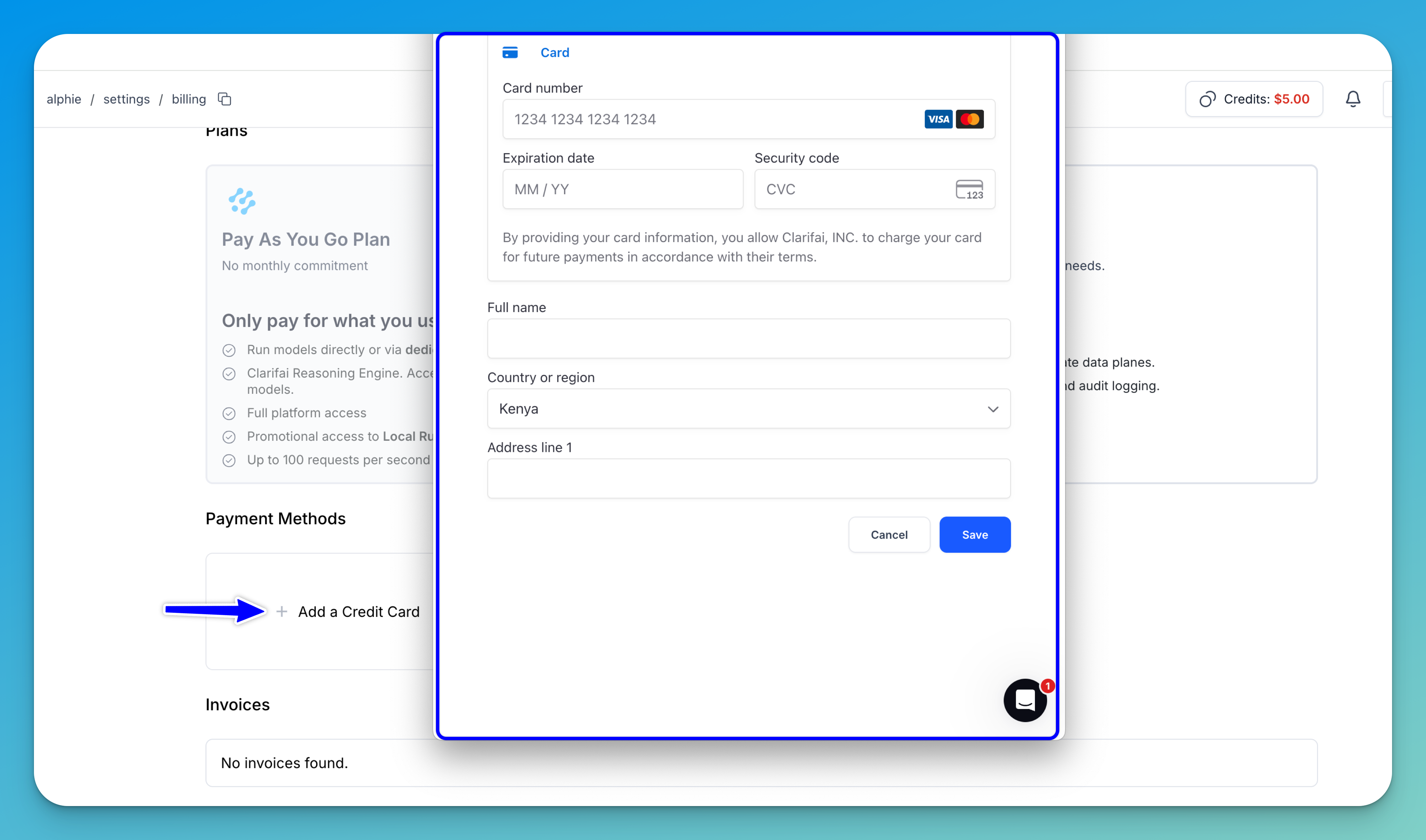
In the Payment Methods section, you can add a new payment option by clicking Add a Credit Card. A pop-up window will appear, allowing you to securely enter your card details.
Note: If you haven’t verified your phone number yet, you’ll be prompted to do so.
Invoices
The Invoices section provides a complete history of your billing activity, displaying past transactions and downloadable statements for your records.